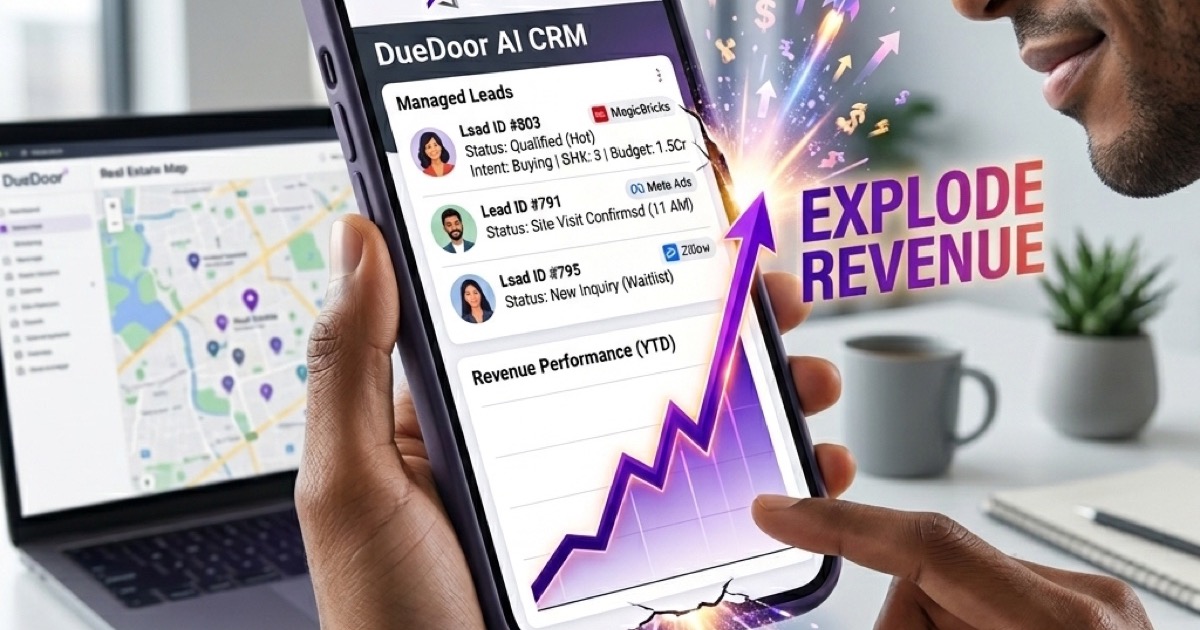
To track leads in a CRM, assign every new lead a stage (such as New, Contacted, or Qualified), log all interactions, and set follow-up tasks so no opportunity is missed. Automating stage transitions and reminders ensures consistent pipeline visibility from first touch to closed deal.
Every sale begins with a lead, yet most small businesses lose between 40 and 60 percent of their pipeline simply because they have no reliable system to track what is happening. A CRM (Customer Relationship Management) platform turns a chaotic spreadsheet into a living, breathing view of your sales process, showing exactly where each prospect stands and what needs to happen next. Whether you are running a real estate agency in Pune, a SaaS startup in Bengaluru, or a B2B services firm selling across Southeast Asia, the discipline of lead tracking separates the teams that consistently hit target from those that scramble every quarter-end.
This guide walks through the practical mechanics of tracking leads in a CRM, from configuring stages to automating follow-ups and measuring the metrics that actually predict revenue. You will find actionable steps, a stage-by-stage comparison table, and honest advice on the mistakes that silently drain your conversion rate.
Why Lead Tracking Matters in 2026
The buying journey has grown longer and more fragmented. A prospect might discover you via an Instagram ad, research on LinkedIn, ask a question over WhatsApp, and then book a demo through your website, all before speaking to a human. Without a centralised record of these touchpoints, your sales team is effectively flying blind. They repeat questions the prospect has already answered, miss the right moment to follow up, and compete internally for credit on the same account.
Research consistently shows that companies using structured CRM lead tracking convert at 3.4 times the rate of those relying on email threads and sticky notes. In the Indian SMB context, where sales cycles for marketplace and property listings can stretch across weeks of negotiation, this multiplier is even more pronounced. A missed WhatsApp follow-up on day three can hand a lead to a competitor who was simply more organised. Platforms like DueDoor are built precisely for this reality, combining pipeline visibility with WhatsApp automation so follow-ups happen automatically, not accidentally.
CRM Lead Stages Explained
Before you can track a lead, you need a shared vocabulary for where it sits in your pipeline. Most CRMs use a linear stage model. The exact names vary by industry, but the underlying logic is universal: each stage describes the prospect's commitment level and tells the next rep exactly what action is required.
| Stage | What It Means | Next Action |
|---|---|---|
| New / Inquiry | Lead has shown initial interest, no contact yet | Assign owner, send intro message within 2 hours |
| Contacted | First outreach sent or call made | Log outcome, schedule follow-up in 48 hours |
| Qualified | Budget, need, and timeline confirmed | Send proposal or product demo invite |
| Proposal Sent | Offer or quote delivered | Follow up on objections, set decision deadline |
| Negotiation | Pricing or terms being discussed | Involve senior closer if needed |
| Closed Won | Deal signed or payment received | Trigger onboarding sequence |
| Closed Lost | Lead chose competitor or dropped out | Log reason, enrol in 90-day re-engagement drip |
For marketplace and listing businesses specifically, adding a Site Visit Scheduled or Demo Booked stage between Qualified and Proposal often improves visibility, since that intermediate commitment is a strong signal of purchase intent. If you are exploring tools built for Indian listing workflows, the guide on best listing management software in India reviews how different platforms handle this kind of custom stage configuration.
Setting Up Your Lead Pipeline
A well-structured pipeline is the foundation of accurate tracking. Follow these steps when configuring your CRM for the first time or auditing an existing setup.
- Map your actual sales process first. Talk to your top-performing rep and document every action they take from first contact to close. Your pipeline stages should mirror this, not copy a generic template.
- Limit stages to seven or fewer. Too many stages create decision fatigue and inconsistent data entry. If two stages feel the same in practice, merge them.
- Define entry and exit criteria. For each stage, write one sentence describing what must be true for a lead to enter and what action moves it forward. Pin this to your team's shared document.
- Assign owners on creation. Every lead must have a named owner the moment it enters the CRM. Unassigned leads go cold within hours in competitive markets.
- Use custom fields for your niche. A real estate team needs fields for property type, location, and budget range. A SaaS team needs fields for company size, current tool, and renewal date. Generic CRMs let you add these; use them.
For businesses that are cost-conscious about tooling, the roundup of affordable CRM solutions for Indian businesses is a practical starting point for comparing platforms without overcommitting on annual contracts.
Automating Follow-Ups and Reminders
Manual follow-up is the single biggest source of pipeline leakage. Even disciplined salespeople forget, get distracted, or prioritise the loudest deal over the most valuable one. Automation removes human inconsistency from the equation.
A robust CRM lets you configure trigger-based workflows: when a lead moves to Contacted, automatically send a WhatsApp message after 48 hours of silence. When a proposal has been open for five days with no response, create a task for the owner and send a gentle nudge via email. When a lead goes cold for 30 days, enrol it in a re-engagement sequence without anyone lifting a finger.
Teams that automate at least one follow-up touchpoint close 27 percent more leads than those relying entirely on manual reminders, according to a 2026 sales productivity benchmark across 1,200 Indian SMBs. The gap widens further when the automated touchpoint is a WhatsApp message rather than an email, because open rates on WhatsApp exceed 90 percent compared to 22 percent for email in this market.
DueDoor natively integrates WhatsApp Business API automation with its CRM pipeline, meaning a stage change can instantly trigger a personalised WhatsApp message to the prospect. This closes the gap between sales intent and actual outreach, which is especially powerful in the marketplace and listing verticals where buyers expect near-instant responses. For broader automation ideas beyond CRM, the article on effective marketing tools for small businesses covers complementary channels worth layering in.
Lead Scoring and Prioritisation
Not all leads deserve equal attention. Lead scoring assigns a numerical weight to each prospect based on characteristics and behaviours, allowing your team to focus energy on the highest-probability opportunities.
Demographic Scoring
Award points for attributes that match your ideal customer profile: correct industry, company size, geography, or budget range. Deduct points for attributes that predict churn or low deal value.
Behavioural Scoring
Track engagement signals inside the CRM and across connected channels. Assign points for opening a proposal document, visiting your pricing page twice in one week, or responding to a WhatsApp message within one hour. These micro-signals reliably predict purchase intent long before a prospect says they are ready to buy.
Decay Rules
Scores should decay over time if the prospect goes quiet. A lead that scored 80 three months ago and has not engaged since should not compete for rep time with a fresh 60-point lead who replied yesterday. Build time-based decay into your scoring model to keep the queue accurately prioritised.
Teams managing real estate or property leads will find additional scoring guidance in the dedicated resource on best tools for managing real estate leads, which includes property-specific scoring criteria like visit frequency and loan pre-approval status.
Tracking Leads Across Multiple Channels
Modern prospects move between channels constantly. A lead that started as a Facebook form fill may continue the conversation on WhatsApp, attend a video demo, and then go quiet for two weeks before emailing a purchase order. Your CRM must stitch all of these interactions into one timeline on the lead record.
To achieve this, connect every lead source to the CRM via native integration or API. Common sources for Indian marketplace businesses include:
- Property portals such as 99acres, MagicBricks, and Housing.com
- WhatsApp Business click-to-chat links on listings
- Meta Lead Ads connected via webhook
- Organic website forms with UTM parameters to track campaign attribution
- LinkedIn outreach sequences for B2B listings
- Inbound calls logged via a VoIP integration or AI call assistant
DueDoor supports multi-source lead ingestion out of the box, automatically creating a unified lead card the moment an inquiry lands, regardless of which channel it came from. Every subsequent touchpoint, whether a WhatsApp chat, an outbound call, or a document view, is appended to the same timeline, giving every team member full context before they dial or type.
Common Mistakes to Avoid
Even teams that invest in a CRM often undermine their own tracking with predictable errors. Awareness of these pitfalls cuts months off the learning curve.
- Duplicating lead records. When the same prospect comes in from two channels simultaneously, a duplicate record is created and the conversation splits. Deduplicate on phone number or email at the point of entry, not weeks later when the damage is done. The article on common issues with property listings discusses how duplicate inquiries from portals compound this problem in real estate.
- Logging only wins. Some reps update the CRM only when a deal is progressing, leaving the true pipeline picture invisible. Require logging for every interaction, including objections and stalls.
- Skipping the lost-reason field. Closed Lost is not the end of the data story. Categorise every lost deal by reason (price, timing, competitor, no decision) and review the aggregate monthly. Patterns in this field reveal pricing or positioning problems no amount of pipeline coaching can fix.
- Setting too many required fields. When data entry feels like paperwork, reps bypass the CRM and log nothing. Keep required fields to five or fewer; make everything else optional but visible.
- Ignoring mobile usability. Indian sales teams spend more than 60 percent of their working day on smartphones. If your CRM's mobile app is clunky, adoption collapses. Test the rep experience on a mid-range Android device before rolling out to the full team.
Measuring Pipeline Health and KPIs
Tracking leads is only useful if you measure whether the system is working. Focus on four core metrics that directly predict revenue outcomes.
Lead-to-Close Rate measures what percentage of new leads eventually become customers. A rising rate confirms that your qualification and follow-up processes are improving. A falling rate despite steady volume suggests a quality or timing problem upstream.
Average Stage Duration shows how long leads spend in each stage. Abnormal dwell time in Proposal Sent, for example, almost always points to pricing objections or a missing follow-up step. Compare duration across reps to identify coaching opportunities.
Pipeline Coverage Ratio compares total pipeline value to your revenue target. A healthy ratio is typically 3 to 4 times your target, meaning you need three or four rupees of pipeline for every rupee of quota, accounting for deals that will not close.
Follow-Up Response Rate tracks what percentage of your automated or manual follow-ups receive a reply. Low response rates on a specific channel (say, email) should prompt a shift to higher-engagement alternatives like WhatsApp or LinkedIn. DueDoor's built-in analytics surface all four of these metrics without requiring a separate BI tool, making pipeline health reviews a ten-minute exercise rather than a half-day spreadsheet project.
Ready to put a proper lead tracking system in place for your team? Get started with DueDoor and see how AI-powered pipeline management, WhatsApp automation, and multi-channel lead tracking can work together from day one.
Frequently Asked Questions
What is the best way to track leads in a CRM for a small business?
The best approach is to define clear pipeline stages that match your actual sales process, assign every lead an owner immediately, and automate at least one follow-up touchpoint per stage. Keep required fields minimal so reps update records consistently rather than avoiding the CRM altogether.
How many stages should a CRM pipeline have?
Between five and seven stages is ideal for most small and mid-size businesses. Too few stages make it hard to spot bottlenecks, while too many create confusion and inconsistent data entry. Review your pipeline quarterly and merge any stages that feel identical in practice.
Can I track leads from WhatsApp inside a CRM?
Yes, modern CRMs with WhatsApp Business API integration can capture every inbound WhatsApp inquiry as a lead and log all chat history on the lead record. DueDoor does this automatically, linking portal inquiries, web forms, and WhatsApp conversations to a single lead timeline.
What is lead scoring and do I need it?
Lead scoring assigns a numerical value to each prospect based on their profile and behaviour, helping your team prioritise the most likely buyers. It becomes essential once your pipeline grows beyond 50 to 100 active leads per rep, because manual prioritisation at that volume is unreliable and biased toward the noisiest prospects rather than the best ones.
How do I stop leads from falling through the cracks in a CRM?
Set up automated follow-up reminders triggered by stage changes or inactivity thresholds, ensure every lead has a named owner, and run a weekly pipeline review to surface any record that has not been updated in seven or more days. Combining automation with a regular human review catches almost every case of lead neglect before it costs a deal.
Every lead gets an instant, qualified reply — even at 3 AM
DueDoor's AI reads the inbound WhatsApp, understands pricing/demo/support intent, replies with the right answer, and books the meeting — all in under 4 seconds. No human lifts a finger until the call itself.
- AI understands Hindi, Tamil, Telugu, Marathi, English
- Qualifies budget, team size, timeline automatically
- Books into your actual Google/Outlook calendar
- Escalates to a human only when the AI isn't 95%+ sure
WhatsApp AI
Auto-reply, drip sequences, AI qualification — 24/7.
Leads & Pipeline
Smart lead scoring with auto-routing to your team.
Email Marketing
Personalized AI emails that actually get opened.
Meta Ads AI
One-click campaigns optimized by AI daily.
SEO Engine
Content + ranking on autopilot. Like this page.
LinkedIn (PhewDo)
Outreach + replies handled end-to-end.
References & further reading
- Online marketplace — Wikipedia
- Shopify (official)
- Online advertising — Wikipedia
- Marketing — Wikipedia
- Digital marketing — Wikipedia