To leverage WhatsApp Business growth for your marketplace, combine broadcast messaging with automated follow-up sequences and a CRM that tracks every conversation from first inquiry to closed deal.
WhatsApp is no longer just a personal messaging app. For Indian SMBs and marketplace sellers, it has become the single most powerful channel to reach buyers where they already spend hours each day. With over 500 million active users in India alone and an average open rate that hovers near 98 percent, no other channel comes close to the immediacy and intimacy WhatsApp delivers. Whether you run a real estate portal, an e-commerce store, a services marketplace, or a B2B supply platform, learning to leverage WhatsApp Business growth is the difference between a thriving pipeline and a leaking bucket.
The challenge most marketplace sellers face is not getting people to message them. The challenge is managing the volume intelligently, responding fast enough to stay ahead of competitors, and turning casual inquiries into committed buyers without burning out a sales team. This guide walks through every layer of that problem, from initial setup to automated pipelines to ROI measurement, so you can build a WhatsApp-powered growth engine that scales.
Why WhatsApp Drives Marketplace Growth
Indian buyers have a deeply personal relationship with WhatsApp. They share family photos, coordinate with colleagues, and now increasingly expect to negotiate purchases over the same app. Marketplaces that meet buyers on WhatsApp rather than forcing them to log into a portal, fill a form, or wait for an email unlock a level of trust that formal channels rarely achieve. Studies across sectors consistently show that response times under five minutes lift conversion rates by 3x or more, and WhatsApp is the only channel where sellers can realistically hit that benchmark at scale.
Beyond raw speed, WhatsApp supports rich media natively. Sellers can share product images, price sheets, video walkthroughs, location pins, and payment links inside a single thread. For marketplace categories like real estate, automotive, electronics, and fashion, this visual immediacy collapses the buyer journey from days to hours. Effective marketing tools for small businesses consistently rank WhatsApp at the top precisely because it combines reach, richness, and response speed in one free-to-use platform.
Setting Up WhatsApp Business the Right Way
Before any automation or CRM integration makes sense, the foundation needs to be solid. Many sellers rush past setup and then wonder why their messages feel impersonal or why they hit sending limits unexpectedly.
Complete Your Business Profile
- Display name: Use your brand name exactly as it appears on your marketplace listing, not a personal name or abbreviation.
- Category: Choose the most specific category available. WhatsApp uses this for discovery and compliance screening.
- Business description: Write two to three sentences that include your primary product category, the cities you serve, and one proof point (years in business, number of customers, or a notable credential).
- Catalog link: Connect your product catalog directly to your profile so any user who taps your name can browse instantly.
- Quick replies: Pre-load the five questions you answer most often. This alone can cut response time by 60 percent on high-volume days.
For businesses that want verified green-tick status, applying through a Meta-approved Tech Provider accelerates the process significantly and unlocks higher messaging tiers from day one.
Catalog and Listing Integration
WhatsApp Catalogs are one of the most underused growth levers in the platform. A well-structured catalog lets buyers browse, shortlist, and share products with family members without ever leaving the app. For marketplace sellers managing dozens or hundreds of SKUs, the key is keeping the catalog in sync with your live listings automatically rather than updating it manually.
Connect your catalog to the same data source that powers your main listings. If you use a listing management tool, look for one that supports WhatsApp Catalog API sync. This matters especially in real estate and automotive, where prices and availability change daily. Stale catalog data is one of the common issues with property listings that erode buyer trust and inflate support queries.
Pro tip: Segment your catalog into collections by buyer intent (Ready to Move vs Under Construction in real estate, or In Stock vs Pre-Order in retail). Buyers who can filter by intent convert at nearly twice the rate of those browsing a flat list.
Each catalog item should include a short description optimized for search within WhatsApp, a high-quality image, a clear price or price range, and a direct link back to the full listing page on your website. That last element is critical for attribution and retargeting.
Automated Follow-Ups That Convert
Speed wins the first response. Sequences win the sale. Most marketplace sellers have at most one human to handle WhatsApp, and that person cannot realistically follow up with 80 leads across varying stages at different intervals. Automation fills that gap.
A high-converting follow-up sequence for marketplace leads typically looks like this:
- Instant acknowledgment (0 minutes): Confirm the inquiry, share the catalog link or specific listing, and set a realistic expectation for a human follow-up window.
- Value add (Day 1): Send a comparison, a relevant blog post, a video tour, or a pricing guide that helps the buyer make a decision without pressure.
- Social proof (Day 3): Share a short testimonial, a case study, or a review from a buyer in a similar situation.
- Soft close (Day 5): Ask a direct question about readiness or timing. Frame it around their convenience, not your quota.
- Re-engagement (Day 10): If there has been no response, send a fresh angle, a price update, or a new listing that matches their stated criteria.
Building these sequences manually in WhatsApp Business app is possible but brittle. The right approach is connecting WhatsApp to a CRM that tracks where each lead sits in the sequence and triggers the next message automatically based on time or buyer action.
CRM and Pipeline Management for WhatsApp Leads
Treating WhatsApp as a standalone channel is the most expensive mistake marketplace sellers make. Without a CRM, conversations live in someone's phone, follow-ups depend on memory, and the moment that person leaves the business, the pipeline evaporates.
A CRM built for Indian SMBs needs to handle WhatsApp natively, meaning conversations appear inside the CRM alongside email, call logs, and notes, not as a disconnected feed. It also needs to be affordable enough that a five-person team can actually afford to use it. Affordable CRM solutions for Indian businesses have improved dramatically in 2026, and the best options now include WhatsApp inbox, pipeline kanban, and lead scoring out of the box without enterprise pricing.
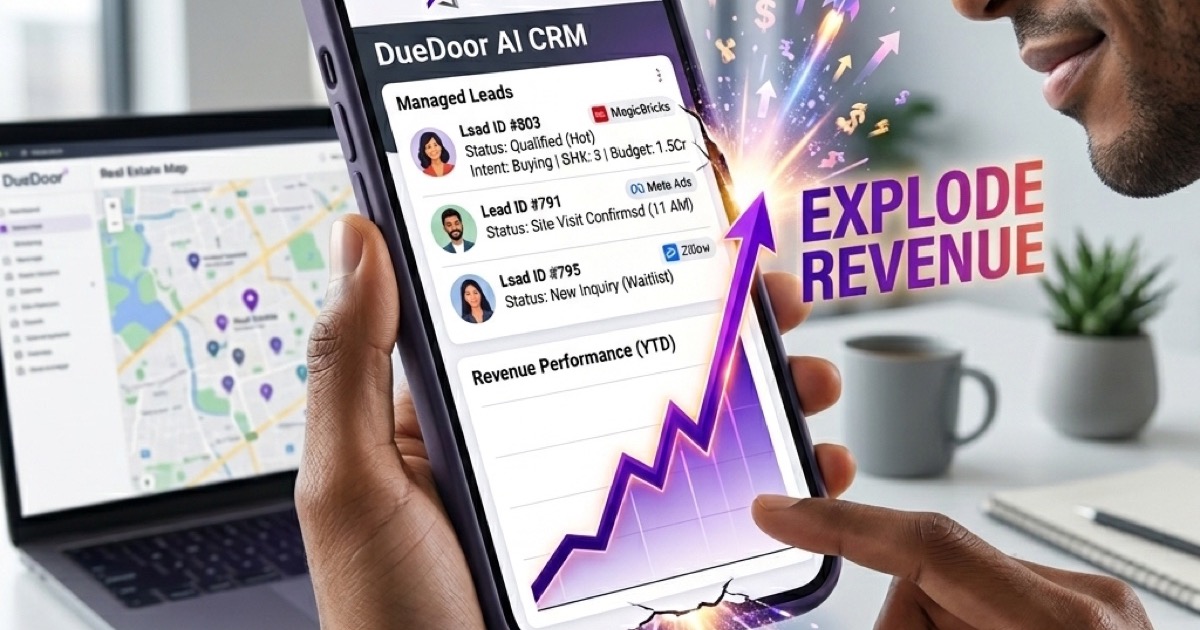
DueDoor is built specifically for this use case. The platform integrates WhatsApp Business API natively, so every inbound message from any listing channel lands in a unified inbox, gets assigned to a pipeline stage, and triggers the appropriate follow-up sequence automatically. Sales teams using DueDoor report cutting manual follow-up time by over 70 percent while increasing the number of leads they can actively manage per rep.
| Feature | WhatsApp Business App | WhatsApp + CRM (e.g. DueDoor) |
|---|---|---|
| Multi-agent inbox | No | Yes |
| Automated follow-up sequences | No | Yes |
| Pipeline stage tracking | No | Yes |
| Broadcast to opted-in list | Limited (256 contacts) | Unlimited (API tier) |
| Analytics and conversion reporting | Basic | Full funnel |
| Template message management | Manual | Automated approval workflow |
Running Broadcast Campaigns That Stay Compliant
WhatsApp broadcast campaigns are incredibly powerful for marketplaces: a new product launch, a seasonal sale, a price drop on a popular listing, or a re-engagement push to cold leads. Done right, they drive immediate spikes in inquiries. Done wrong, they get your number flagged or permanently banned.
The rules are straightforward but non-negotiable:
- Only broadcast to contacts who have explicitly opted in to receive messages from you. Import opt-in proof when uploading contacts.
- Use approved message templates for the first outbound message in any conversation. Personalize with merge fields (name, listing title, price) to lift response rates.
- Keep sending rates below Meta's daily limits for your tier. Start conservatively and warm up your number over 30 to 60 days before high-volume campaigns.
- Always include a clear opt-out mechanism. Respecting opt-outs is both a legal requirement under India's digital communication guidelines and a practical way to keep your quality score high.
Segmenting your broadcast lists by buyer intent, location, and listing category dramatically improves relevance and reduces opt-outs. A buyer who inquired about 2BHK flats in Pune does not want to receive a broadcast about commercial plots in Hyderabad. The best listing management software in India now integrates segmentation data from your listings directly into WhatsApp broadcast lists, so the right message reaches the right buyer automatically.
Measuring WhatsApp ROI for Your Marketplace
Growth without measurement is just activity. Marketplace sellers who scale WhatsApp sustainably track a core set of metrics that connect messaging activity to revenue outcomes.
Key Metrics to Track
- Inquiry-to-conversation rate: What percentage of leads who see your listing actually initiate a WhatsApp conversation? This measures the quality of your listing's CTA.
- First response time: The average time between an inbound message and your first reply. Under 5 minutes is the benchmark. Over 30 minutes, conversion drops sharply.
- Conversation-to-site visit rate: How many WhatsApp leads click through to your full listing or website? This signals intent depth.
- Site visit-to-qualified lead rate: Of those who visit, how many submit a form, book a call, or take a second action? This is where listing quality matters most.
- Qualified lead-to-close rate: Your ultimate conversion metric. Track this by lead source so you can compare WhatsApp against other channels.
- Cost per acquisition via WhatsApp: Divide total WhatsApp-related costs (API fees, CRM subscription, staff time) by the number of customers sourced from the channel.
For real estate and high-value marketplace categories, even a modest improvement in first response time can translate to lakhs in additional monthly revenue. Teams that have adopted structured pipelines for their listing leads report dramatically better outcomes; reviewing best tools for managing real estate leads can help identify where your current stack is creating friction in that journey.
DueDoor's built-in analytics dashboard surfaces all these metrics in real time, with funnel views that show exactly where leads are dropping off in the WhatsApp sequence. This makes it easy to A/B test template messages, adjust follow-up timing, and double down on listing categories that convert at the highest rates.
Getting Started Today
Leveraging WhatsApp Business growth for your marketplace is not a one-time project. It is an ongoing system that compounds over time as your opt-in list grows, your templates improve, and your CRM data reveals what genuinely moves buyers to act. The sellers who win are not necessarily the ones with the biggest budgets. They are the ones who show up fastest, follow up most consistently, and use their data to get smarter every month.
Start with three steps this week: upgrade your WhatsApp Business profile to be fully complete, connect at least one listing source to a catalog, and set up a five-message follow-up sequence for new inquiries. Once those three elements are in place, the ROI of adding automation and CRM integration becomes immediate and obvious.
Ready to put WhatsApp growth on autopilot for your marketplace? Start your free DueDoor trial and connect your WhatsApp Business account, listings, and pipeline in one unified platform built for Indian SMBs who want to grow faster without adding headcount.
Frequently Asked Questions
What is the difference between WhatsApp Business and WhatsApp Business API?
WhatsApp Business is a free app for small businesses with basic features like quick replies and a catalog, limited to one device and broadcasts of up to 256 contacts. WhatsApp Business API is a paid, cloud-based solution that allows unlimited broadcasts to opted-in contacts, multi-agent inbox management, CRM integration, and automated message sequences, making it essential for any marketplace doing meaningful volume.
How can I grow my WhatsApp opt-in list for marketplace leads?
Add a WhatsApp CTA button to every listing page, use a click-to-WhatsApp ad on Facebook and Instagram that targets buyers by location and category, and offer an incentive for opting in such as a free valuation, price comparison report, or exclusive early access to new listings. Always capture explicit opt-in consent and store it with a timestamp.
Will my WhatsApp number get banned if I send too many broadcast messages?
Yes, if you send to contacts who have not opted in, use unapproved template messages for first outreach, or exceed Meta's quality thresholds for a given sending tier. To stay safe, always use approved templates, only message opted-in contacts, maintain a low block and report rate, and warm up new numbers gradually over 30 to 60 days before running large campaigns.
How much does it cost to use WhatsApp Business API in India?
Meta charges per conversation, with rates varying by conversation type (marketing, utility, service, authentication) and country. In India, marketing conversations are charged at roughly 58 paise per 24-hour session as of 2026, though these rates change periodically. CRM platforms like DueDoor that bundle WhatsApp API access typically offer all-in pricing that is more predictable than managing Meta billing directly.
Can I connect my marketplace listings directly to WhatsApp for automatic lead routing?
Yes. With WhatsApp Business API and a CRM integration, every inquiry that comes from a listing can be automatically tagged with the listing source, property or product ID, and buyer details, then routed to the appropriate sales rep and entered into a follow-up sequence without any manual data entry. This is one of the core capabilities DueDoor offers for marketplace and real estate teams.
Every lead gets an instant, qualified reply — even at 3 AM
DueDoor's AI reads the inbound WhatsApp, understands pricing/demo/support intent, replies with the right answer, and books the meeting — all in under 4 seconds. No human lifts a finger until the call itself.
- AI understands Hindi, Tamil, Telugu, Marathi, English
- Qualifies budget, team size, timeline automatically
- Books into your actual Google/Outlook calendar
- Escalates to a human only when the AI isn't 95%+ sure
WhatsApp AI
Auto-reply, drip sequences, AI qualification — 24/7.
Leads & Pipeline
Smart lead scoring with auto-routing to your team.
Email Marketing
Personalized AI emails that actually get opened.
Meta Ads AI
One-click campaigns optimized by AI daily.
SEO Engine
Content + ranking on autopilot. Like this page.
LinkedIn (PhewDo)
Outreach + replies handled end-to-end.