To design an effective email newsletter, lead with a single clear goal, use a scannable layout with short sections and visual hierarchy, and personalise the subject line and opening line to the recipient's context. Consistency in branding, mobile-first formatting, and a single strong call to action drive the highest engagement.
Email newsletters remain one of the highest-return communication channels available to any business, yet most of them get ignored within seconds. The difference between a newsletter that drives pipeline and one that gets archived unread is almost never the list size or the send frequency. It is the design, the clarity of purpose, and the quality of the reading experience you create for each subscriber.
Whether you run a SaaS startup in Bengaluru, a manufacturing firm in Pune, or a services agency serving global clients, the fundamentals of effective newsletter design are the same. This guide walks through each layer, from strategic planning to pixel-level formatting, so you can build newsletters your audience actually looks forward to opening.
Why Newsletter Design Matters
Design is not decoration. In an email newsletter, design is the silent salesperson that either earns trust in the first three seconds or loses it. A cluttered, inconsistent layout signals low credibility, regardless of how strong the content inside may be. Conversely, a clean, branded template signals professionalism and makes the content easier to absorb.
Research consistently shows that readers scan emails rather than read them linearly. Eye-tracking studies reveal an F-pattern behaviour: readers skim the top, then dart left, catching the first few words of each new paragraph. Good newsletter design works with this pattern, not against it. Short paragraphs, bold callouts, and clear section breaks allow scanners to find what is relevant to them quickly, increasing the chance they click or reply.
"People do not read emails, they triage them." Design your newsletter so the most valuable information survives a three-second skim, and you will outperform 80 percent of senders in any inbox.
Define Your Goal Before You Design
Every newsletter should serve exactly one primary goal. Not two, not five. The moment you try to promote a new feature, announce a webinar, share three blog posts, and introduce a discount in the same email, you create decision paralysis for the reader. Decision paralysis leads to no action at all.
Before you open your email editor, write one sentence answering this question: what is the single action I want the reader to take after finishing this email? It might be to read an article, book a demo, reply with a question, or claim a limited offer. Every design decision, from the hero image to the button colour to the number of sections, should serve that one goal.
Common newsletter goals for Indian SMBs include:
- Nurturing trial users toward a paid conversion
- Re-engaging cold leads who stopped responding to outreach
- Educating prospects on a problem your product solves
- Driving traffic to a high-value resource or case study
- Announcing a seasonal offer tied to a local event or festival calendar
If your list includes both cold prospects and active customers, segment them and send separate versions. The goal for a cold prospect is very different from the goal for someone already paying you. For guidance on reaching cold contacts the right way, see our breakdown of best practices for cold email outreach.
Layout and Visual Hierarchy
The layout of your newsletter determines how effortlessly a reader can navigate it. The most reliable structure for B2B newsletters is a single-column layout with a maximum content width of 600 pixels. Multi-column layouts look smart in design tools but break unpredictably across email clients, especially older versions of Outlook.
Visual hierarchy means creating a clear sense of importance through size, weight, colour, and spacing. The components of a high-performing newsletter layout, in order of visual prominence, are:
- Logo and header: Slim, branded, immediately recognisable. Keep it under 80 pixels tall.
- Hero section: One punchy headline, one supporting sentence, one CTA button. No more.
- Body sections: Each section has a mini-headline (use an H3 style), two to four sentences, and optionally a link. Separate sections with visible white space, not coloured dividers.
- Supporting content: Secondary articles or tips, kept visually smaller than the hero to signal lower priority.
- Footer: Unsubscribe link, physical address, social icons. Legal compliance is non-negotiable, especially for Indian senders. Review our article on email marketing compliance in India to make sure your footer meets TRAI and DPDP Act requirements.
| Layout Element | Recommended Spec | Common Mistake |
|---|---|---|
| Email width | 600 px max | Using 800 px (breaks on mobile) |
| Hero headline | 24 to 32 px, bold | Using an image instead of live text |
| Body font size | 16 px minimum | 14 px or smaller (unreadable on mobile) |
| CTA button | Min 44 px tall, high contrast | Text link only (low tap area) |
| Images | Alt text on every image | No alt text (broken when images blocked) |
| Line spacing | 1.5 to 1.6 line height | Default 1.2 (cramped, hard to read) |
Subject Lines and Preview Text
No amount of brilliant design inside the email compensates for a subject line that fails to earn the open. Your subject line and preview text are the entire first impression. Together they occupy around 75 characters of visible space in most mobile clients, and they do all the persuasion work before the reader even enters your email.
Principles that consistently improve open rates:
- Specificity beats cleverness. "3 ways to reduce your CAC this quarter" outperforms "Growth secrets you need to know."
- Personalise where you can. First name tokens work, but personalising by company name, city, or industry does even better.
- Create genuine curiosity or urgency, not manufactured fake urgency. "Offer expires midnight" works once. "Offer expires midnight" every week trains readers to ignore it.
- Preview text is your second subject line. If you leave it blank, most email clients pull the first line of body text, which is often "View in browser" or a hidden spacer. Write 40 to 60 characters of preview text intentionally.
For newsletters targeting Indian audiences where regional context matters, our deep-dive on best email marketing practices for Indian audiences covers tone, timing, and language considerations in detail.
Writing Copy That Holds Attention
Good newsletter copy is not web copy or social copy. It is closer to a well-written letter: direct, personal, and respectful of the reader's time. The single most important rule is to write for one person, not a segment. Even if 40,000 people receive your newsletter, each one reads it alone. Write as if you are addressing that one person specifically.
Practical copy rules for newsletters:
- Open with the reader's context, not your company update. "If you are still manually qualifying leads from your website contact form, this issue is for you." beats "We are excited to share our latest feature."
- Keep sentences short. Aim for a reading level that a busy person can absorb quickly, even between meetings.
- Use bold text to highlight the one thing per paragraph you most want a scanner to catch. Do not bold everything or nothing pops.
- End with a clear, single CTA in natural language. "Book a 20-minute demo" is stronger than "Click here to learn more."
If you are running newsletters alongside social channels and wondering how to allocate effort, the comparison of email marketing vs social media marketing can help you calibrate your investment.
Mobile-First Design Principles
With 65 percent of email opens now happening on mobile devices, designing desktop-first and then checking mobile is the wrong workflow. Design mobile-first, then verify it looks acceptable on desktop. The constraints of a 390 px wide iPhone screen force you to simplify, which almost always makes the newsletter better on every device.
Key mobile-first rules:
- Single-column always. Any layout that requires horizontal scrolling on mobile will be deleted immediately.
- Tap targets at least 44 px tall. Human fingertips are not mouse pointers. Small buttons and links cause misclicks and frustration.
- Images must be responsive. Use
width: 100%; max-width: 600px;inline styles, not fixed pixel widths on images. - Large, legible font. 16 px body text is the minimum. Many designers drop to 14 px for aesthetics and lose a significant portion of mobile readers in the process.
- Test on real devices. Tools like Litmus or Email on Acid let you preview across dozens of clients, but nothing replaces sending yourself a test and reading it on your own phone.
Measuring and Iterating on Performance
Newsletter design is not a one-time project. It is an ongoing optimisation loop. The metrics that matter most, in order of importance, are:
- Click-to-open rate (CTOR): The percentage of openers who clicked something. This is the most honest measure of content and design quality, stripped of subject line influence.
- Open rate: Useful for comparing subject line variants, less useful as an absolute benchmark since Apple Mail Privacy Protection inflates opens on iOS.
- Unsubscribe rate: A sustained rate above 0.5 percent per send signals a relevance problem, usually a mismatch between what subscribers expected and what you are sending.
- Reply rate: Often overlooked, but a reply is the highest-engagement signal possible. Design newsletters that invite replies, especially in nurture sequences.
Run A/B tests on one variable at a time: subject line, hero image vs no image, one CTA vs two, plain text vs HTML. Commit to at least four sends per variant before drawing conclusions. For teams looking to automate this testing and sending workflow, automated email marketing tools for startups outlines options that connect directly to your CRM and lead pipeline.
Tools and Workflow for Indian SMBs
The best newsletter design tool is the one your team will actually use consistently. For most Indian SMBs in 2026, the choice comes down to a drag-and-drop editor with good mobile preview, native segmentation, and either built-in automation or clean API integration with your CRM.
Popular options include Mailchimp, Brevo (formerly Sendinblue), and Zoho Campaigns for self-managed sending. Enterprises and fast-growing startups often benefit from platforms that integrate email directly into a broader growth workflow, connecting newsletter sends to lead scoring, WhatsApp follow-ups, and sales pipeline stages without manual handoffs.
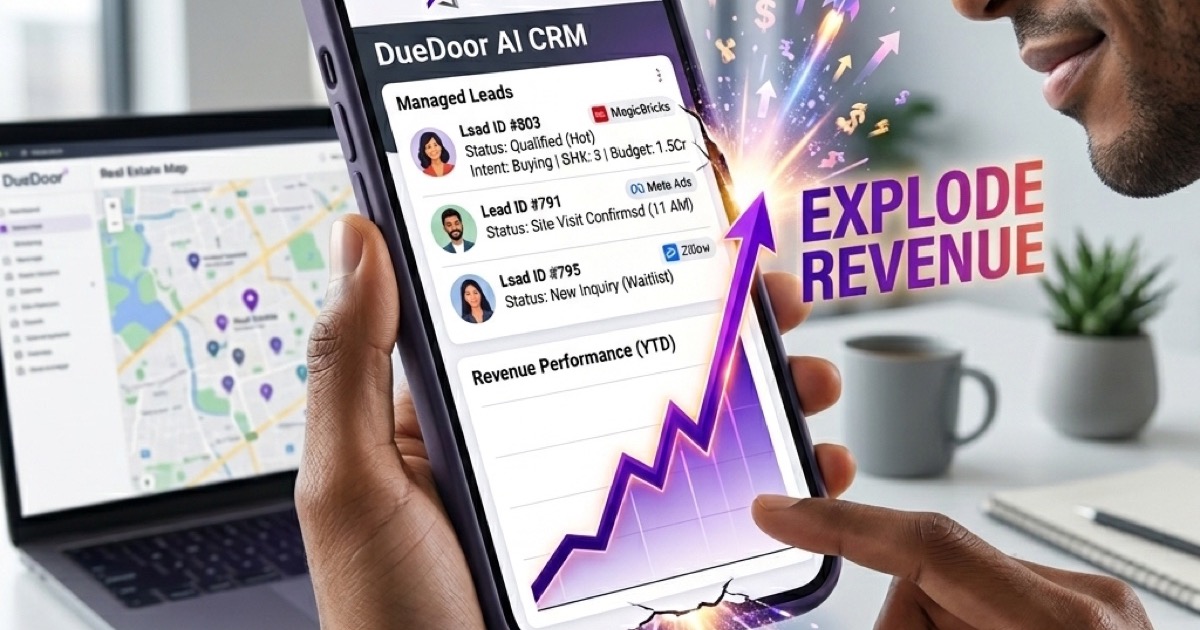
DueDoor is built for exactly this kind of connected workflow. As an AI-powered Growth CRM, DueDoor links your email engagement data to your entire sales pipeline, so when a prospect opens your newsletter three times in a week, your sales team gets an alert and a suggested follow-up, not just an open-rate statistic. Teams using DueDoor alongside their email channel report significantly shorter time-to-first-response on warm leads, because the system surfaces intent signals the moment they happen.
For teams that follow email marketing best practices tailored to the Indian market, pairing those practices with a CRM that tracks engagement across channels closes the loop between newsletter design and actual revenue outcomes.
Ultimately, an effective email newsletter is not just a designed document. It is a trust-building system that runs consistently, adapts to what the data tells you, and connects each reader's behaviour to a real next step in your sales motion. Start with a single clear goal, respect the reader's time with clean design and honest copy, and measure the right metrics. Iterate every month, and your newsletter will compound in value far faster than any other channel you run.
Ready to connect your newsletter engagement to a full sales pipeline? DueDoor turns email open and click signals into live lead alerts, automated follow-up sequences, and pipeline movement, all in one dashboard. Start your free DueDoor trial and see how your next newsletter send can directly drive booked meetings.
Frequently Asked Questions
What is the ideal length for an email newsletter?
Most high-performing B2B newsletters are between 300 and 600 words of body copy. The key is not length but density: every sentence should earn its place. If your goal is a single CTA, a shorter newsletter almost always outperforms a longer one because there are fewer distractions.
How often should I send an email newsletter?
Consistency matters more than frequency. A fortnightly newsletter sent reliably on the same day every two weeks builds more trust than a weekly one that ships irregularly. Start with fortnightly, measure engagement, and increase frequency only if your CTOR holds steady.
Should I use plain text or HTML for my newsletter?
HTML newsletters allow branding and visual hierarchy, which generally improves engagement for product and content newsletters. Plain text feels more personal and works well for founder-voice nurture sequences. Many senders use a lightly branded HTML template that mimics the feel of plain text, getting the best of both approaches.
What is a good open rate for an email newsletter in India?
B2B newsletter open rates in India typically range from 22 to 35 percent depending on list quality and industry. E-commerce and promotional lists tend to sit lower, around 15 to 20 percent. Rather than benchmarking against industry averages, track your own trend over time and focus on improving your click-to-open rate, which is a cleaner measure of design and content quality.
How do I reduce unsubscribes from my email newsletter?
The main driver of unsubscribes is a mismatch between what subscribers expected when they signed up and what you actually send. Set clear expectations at signup, segment your list so content stays relevant, and audit your sending frequency if unsubscribes spike after increasing cadence. Always include an easy unsubscribe link, as making it hard to leave damages deliverability and brand trust.
Every lead gets an instant, qualified reply — even at 3 AM
DueDoor's AI reads the inbound WhatsApp, understands pricing/demo/support intent, replies with the right answer, and books the meeting — all in under 4 seconds. No human lifts a finger until the call itself.
- AI understands Hindi, Tamil, Telugu, Marathi, English
- Qualifies budget, team size, timeline automatically
- Books into your actual Google/Outlook calendar
- Escalates to a human only when the AI isn't 95%+ sure
WhatsApp AI
Auto-reply, drip sequences, AI qualification — 24/7.
Leads & Pipeline
Smart lead scoring with auto-routing to your team.
Email Marketing
Personalized AI emails that actually get opened.
Meta Ads AI
One-click campaigns optimized by AI daily.
SEO Engine
Content + ranking on autopilot. Like this page.
LinkedIn (PhewDo)
Outreach + replies handled end-to-end.
References & further reading
- Email marketing — Wikipedia
- HubSpot Email Marketing Guide
- Mailchimp Resources
- Digital marketing — Wikipedia
- Marketing — Wikipedia