
Needs attention
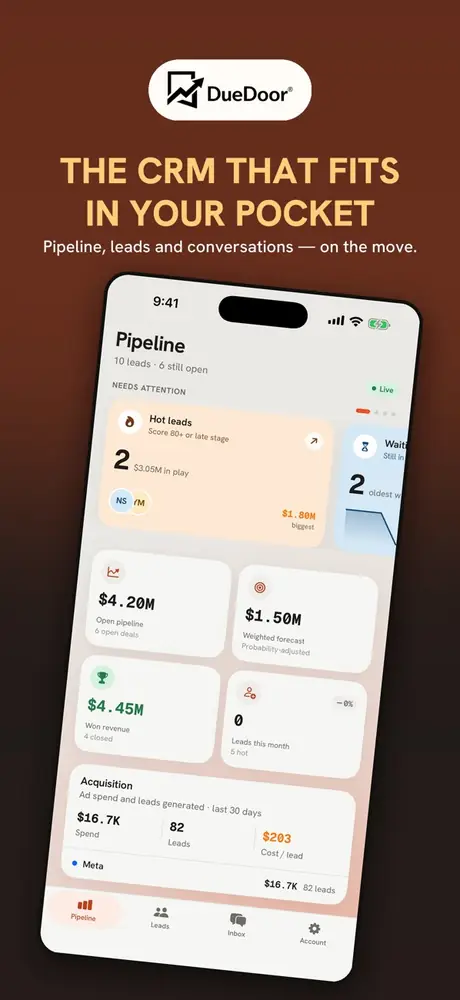
The Pipeline tab opens on cards showing who needs you today: hot leads, leads waiting on a first reply, overdue follow-ups, deals close to closing and leads that have gone quiet. Tap a card to act on the leads inside.
A lead and pipeline tracker for small sales teams. Capture a lead, work it from your phone, and always know what your pipeline is actually worth.

On a computer? Scan the QR code with your iPhone camera, or use the web dashboard.Tap the badge to open DueDoor in the App Store.
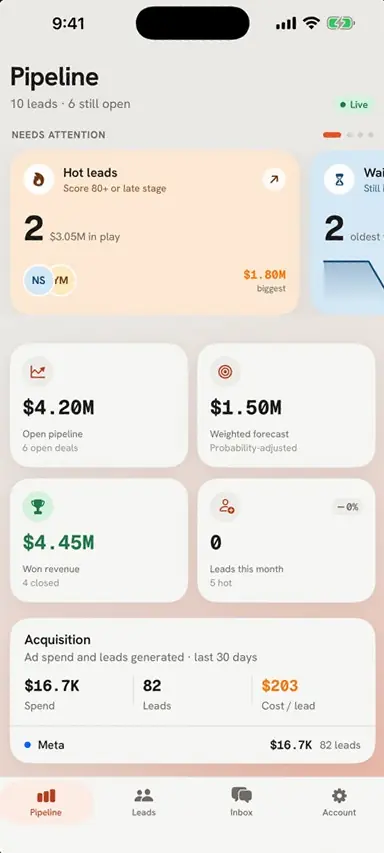
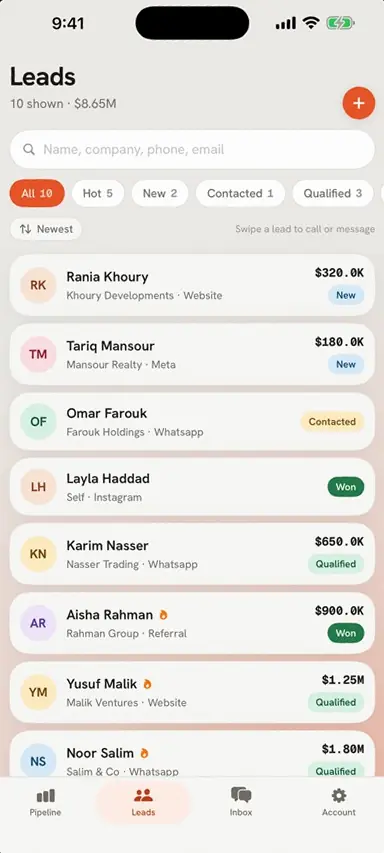
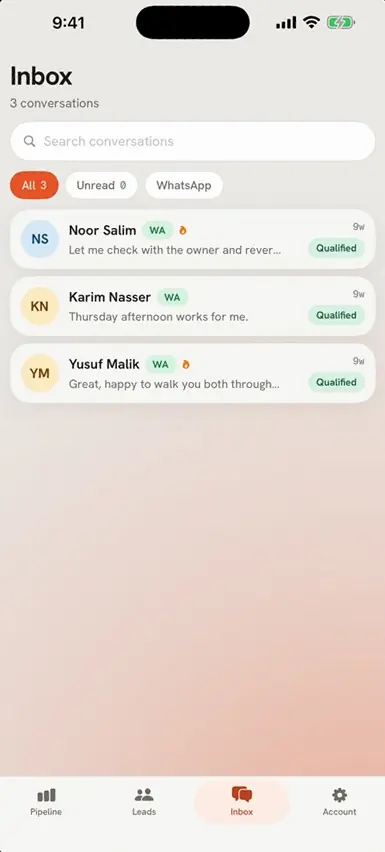
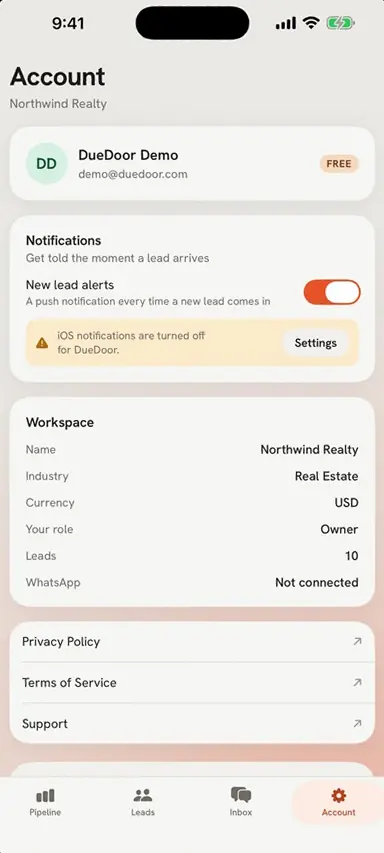
Four tabs, Pipeline, Leads, Inbox and Account, built for the moments between meetings when a lead needs an answer.
The Pipeline tab opens on cards showing who needs you today: hot leads, leads waiting on a first reply, overdue follow-ups, deals close to closing and leads that have gone quiet. Tap a card to act on the leads inside.
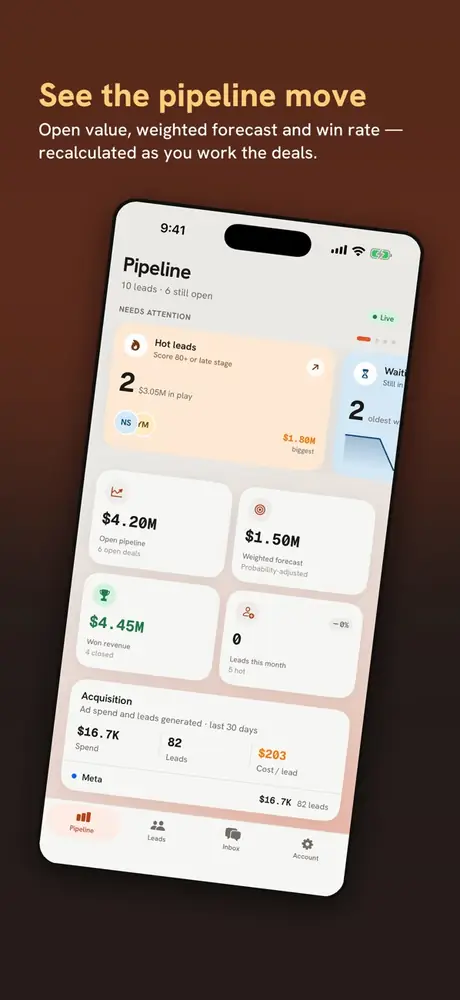
Open pipeline value, a probability-weighted forecast, won revenue and win rate, plus a count for every stage from New through to Won. Tap a stage to see its deals.
Connect Meta or Google Ads and the app shows spend, leads generated and a blended cost per lead for the last 30 days.
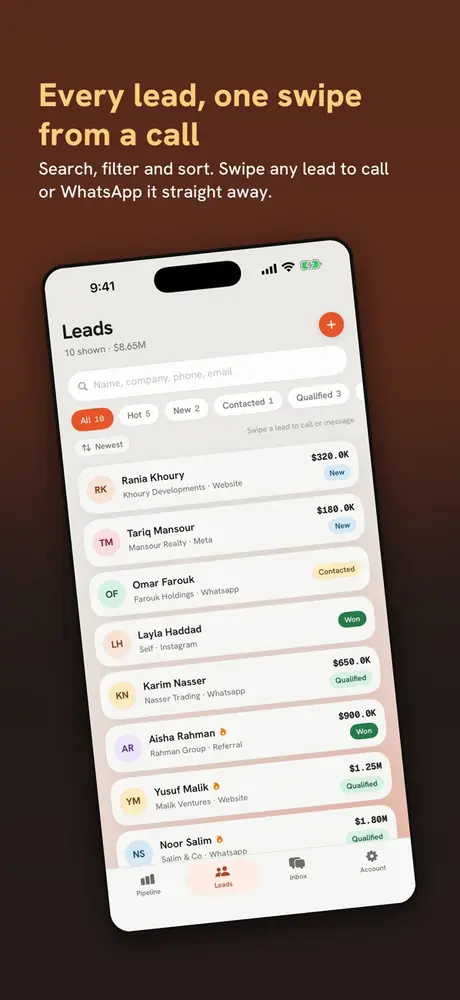
Search by name, company, phone or email. Filter by stage, sort, and swipe a lead to call or message it without opening it. Add, edit and delete leads as you go.
Call, WhatsApp, email or text a lead with the apps already on your phone. Move it along the pipeline, keep a notes timeline and schedule follow-ups.
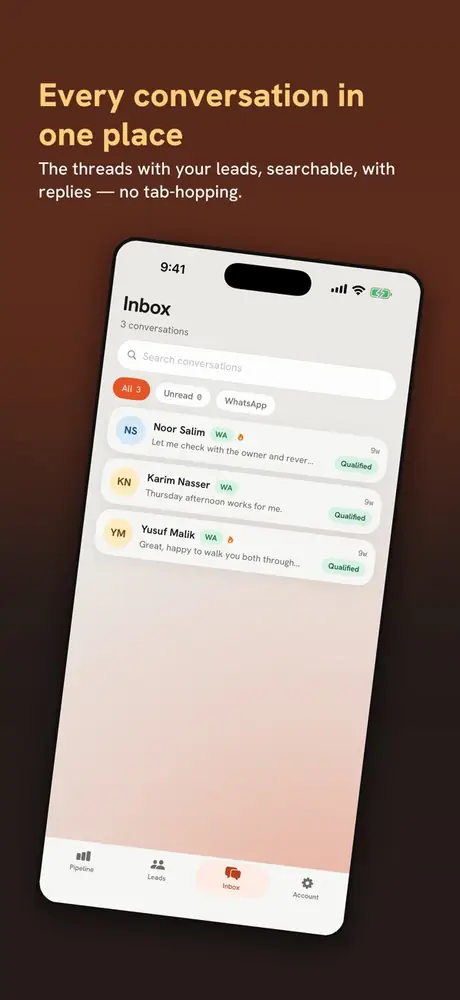
Your WhatsApp Business conversations in one list, with unread counts and a filter for the ones you have not answered yet.
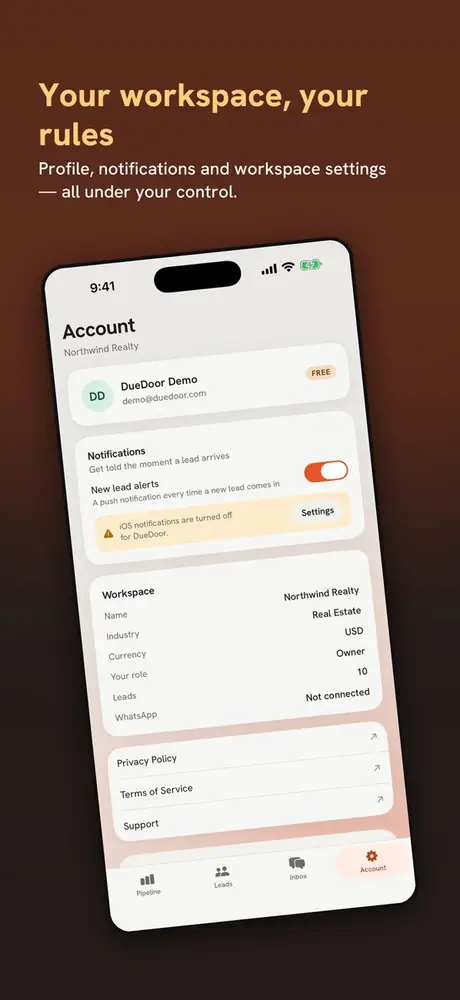
Turn on notifications and the app can tell you the moment a lead worth interrupting for arrives, then open straight to it.
Sign in with a password, a one-time email code, Apple or Google. Your data stays in your own private workspace, and you can delete your account from inside the app at any time.
These are the same screenshots you will find on the App Store, taken from the app itself.
The app is the phone side of DueDoor. At a desk, or on a phone that is not an iPhone, the web dashboard runs in any browser at dashboard.duedoor.com.
Download the free DueDoor app from the App Store. It needs iOS 16 or later.
There is no Android app yet. Open dashboard.duedoor.com in Chrome or any other browser and sign in there.
From the App Store to your first follow-up in a few minutes.
Point your iPhone camera at the code and tap the link. It opens DueDoor on the App Store.
Yes. The DueDoor app is free to download from the App Store.
Any iPhone running iOS 16 or later.
Not yet. The DueDoor app is on iPhone. On an Android phone, open the web dashboard at dashboard.duedoor.com in Chrome or any other browser and sign in there.
With a password, a one-time code sent to your email, Sign in with Apple or Sign in with Google.
Yes. Open a lead to call, WhatsApp, email or text it using the apps already on your phone, or swipe it in the Leads list without opening it. The Inbox shows your WhatsApp Business conversations, with unread counts.
If you connect Meta or Google Ads, the app shows spend, leads generated and a blended cost per lead for the last 30 days.
Turn on notifications and the app can tell you the moment a lead worth interrupting for arrives. Tapping the alert opens that lead.
Yes. You can delete your account from inside the app at any time. Your data stays in your own private workspace.
Free on the App Store for iPhone. Questions about DueDoor? Message us on WhatsApp or write to support@duedoor.com.
Free 30-minute demo
Book a demo
See it working on your own kind of leads. We reply on WhatsApp within working hours.
Thank you. We have your details.
Someone from DueDoor will message you on WhatsApp shortly. Want to lock a time right now?
Pick a time on our calendarOr message us on WhatsApp

