




On this page
What Bunzo’s website visitor analytics shows you
Most small business websites have an analytics tool that someone set up once and nobody opens. The numbers are there, but they answer a marketing question (“how much traffic did we get?”) rather than a sales question (“who is looking seriously right now, and what do they want?”). Bunzo is built for the second question.
You add a tracking script to your site. From then on, the Bunzo view inside DueDoor shows:
Sessions and returning visitors
How many sessions, and which visitors are new versus coming back. A returning visitor on the pricing page is a different signal from a first-time blog reader.
Location
Country and city, estimated from the IP address. Useful for routing and for spotting traffic from places you do not serve.
Source and search query
Where the visit came from (search, ads, social, direct, referral) and the search query where it is available.
Pages, scroll and time
Pages visited in order, scroll depth and time on site, so you can tell reading from bouncing.
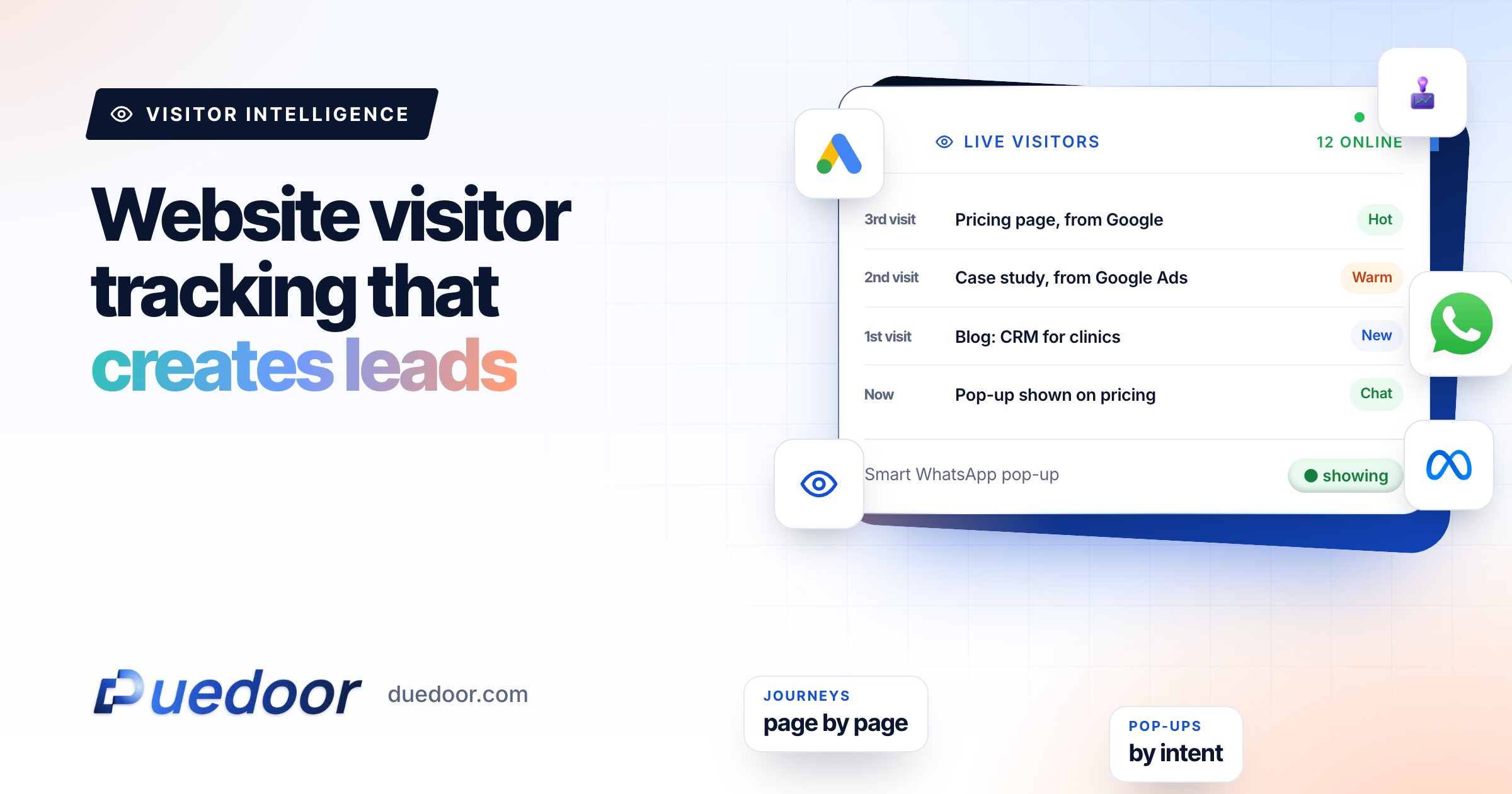
Live visitors
Who is on the site right now and which page they are on.
Journey per visitor
One timeline for each visitor, so you can read a visit the way a salesperson would, in order.
Visitor-to-lead calculator
Most visitors leave without a form. See how many extra enquiries a well-timed WhatsApp prompt could bring.
Your full report
Recommended plan
Estimate. Visitors stay anonymous until they choose to chat; the prompt share is an assumption you control.
Send your results to us on WhatsApp, or leave your details. Takes 10 seconds.
What it honestly cannot show
Key point: Bunzo does not reveal the name or company of an anonymous visitor. A visitor becomes a known person only when they submit a form, including a Bunzo pop-up, or click a tracked link you sent them.
Some tools promise to “see who visits your website” by name. Be careful with that promise. For a business selling to consumers or small firms in India, many visits come from mobile networks and home connections, which do not map to a company at all. Even where a tool guesses a company from an office network, it is a guess about an organisation, not the person reading your page.
The search query is similar. Many visits arrive without it, so treat it as a strong signal when it is there, not a field you will always have. Our guide on how to identify website visitors and turn them into leads goes deeper into what is realistic.
Smart pop-ups that turn website visitors into leads
If you cannot name anonymous visitors, the practical move is to give the right visitor a good reason to tell you who they are. Bunzo pop-ups trigger on rules, and every form submission becomes a lead in the DueDoor CRM.
| Rule | Example | Offer that fits |
|---|---|---|
| Search keyword | Query contains “price” or “cost” | “Get the current price list on WhatsApp” |
| Page | On a specific project, course or treatment page | Brochure, fee sheet or a callback for that item |
| Traffic source | Arrived from a paid ad | Repeat the ad’s offer so the promise matches |
| Country | Visitor from outside India | A video call booking instead of a site visit |
| Time on page or scroll | Read most of a long guide | A checklist or a short consultation |
| Exit intent | Moving to leave the page | One last, low-effort ask: “Want this on WhatsApp?” |
Keep pop-ups rare and relevant. One well-timed offer per visit beats three random interruptions, and a short form (a phone number and one question) asks little of someone who is only browsing.
Using the search query and page journey to prioritise follow-up
Once a pop-up or form turns a visitor into a lead, the journey tells your team how to open the conversation. The principle is simple: reply to what they were reading, not to a script.
- Read the journey first. Three visits over a week, ending on the pricing page, deserves a faster, more direct call than a single blog visit.
- Use the query. A lead who searched a specific location or treatment should hear about that, first line.
- Route and automate. Pop-up leads enter the same pipeline as your other sources, so automations can send a WhatsApp template, start an AI call or assign an owner straight away.
- Write it down. Note what the lead was reading in the lead notes, so whoever follows up next starts from the same context.
The lead itself lives in the WhatsApp CRM, next to the chats and calls, so follow-up happens in one place rather than across a report and a phone. If you want the first reply to be instant, pair this with the WhatsApp AI chatbot.
Privacy and consent basics
Website visitor tracking is useful only if it is done in a way your visitors would accept if they read about it. A few basics, which are good practice rather than legal advice:
- Say what you track. Your privacy policy should explain that you use analytics and forms, and why.
- Ask for consent where the law needs it. Rules differ by country. If you have visitors from the EU or UK, or you are subject to India’s data protection law, check what consent you need with your adviser.
- Collect only what you use. A pop-up that needs a phone number and one question should not also ask for date of birth.
- Get opt-in before WhatsApp. WhatsApp’s Business Messaging Policy requires that people give you their number and opt in before you message them, so make the pop-up wording clear.
How setup works
On the demo we look at your site and traffic sources. DueDoor then helps you add the Bunzo script, set up the first two or three pop-up rules, and connect pop-up leads to the pipeline and a first follow-up automation. Details of what each plan includes are on the pricing page.
Frequently asked questions
Can Bunzo tell me the name of every visitor?
No. Bunzo does not reveal the name or company of anonymous visitors. It shows location from IP, source, pages, scroll depth and time on site. A visitor becomes a named lead when they submit a form or pop-up, or click a tracked link you sent them.
How is this different from Google Analytics?
Analytics tools report traffic in aggregate for marketing. Bunzo shows the journey per visitor, runs pop-ups on rules like search keyword and exit intent, and puts the resulting leads straight into the DueDoor CRM for follow-up.
Will the tracking script slow my website down?
It is a single script added to your site. If page speed is a concern, test the page with and without it during setup and we will look at the results with you.
Where do pop-up leads go?
Into the DueDoor pipeline alongside your other lead sources, where automations can send a WhatsApp template, start an AI call, assign an owner or notify the team.
Does it work on WordPress and other website builders?
Any site where you can add a script to the pages can run Bunzo. Share your site on the demo and we will confirm the setup for your platform.
Sources
- WhatsApp: Business Messaging Policy (checked on 18 September 2026)
See your own visitors, then capture the right ones
Bring your website to a 30-minute demo and we will set up the first pop-up rules with you.

