


On this page
How a lead gets from Meta to your CRM
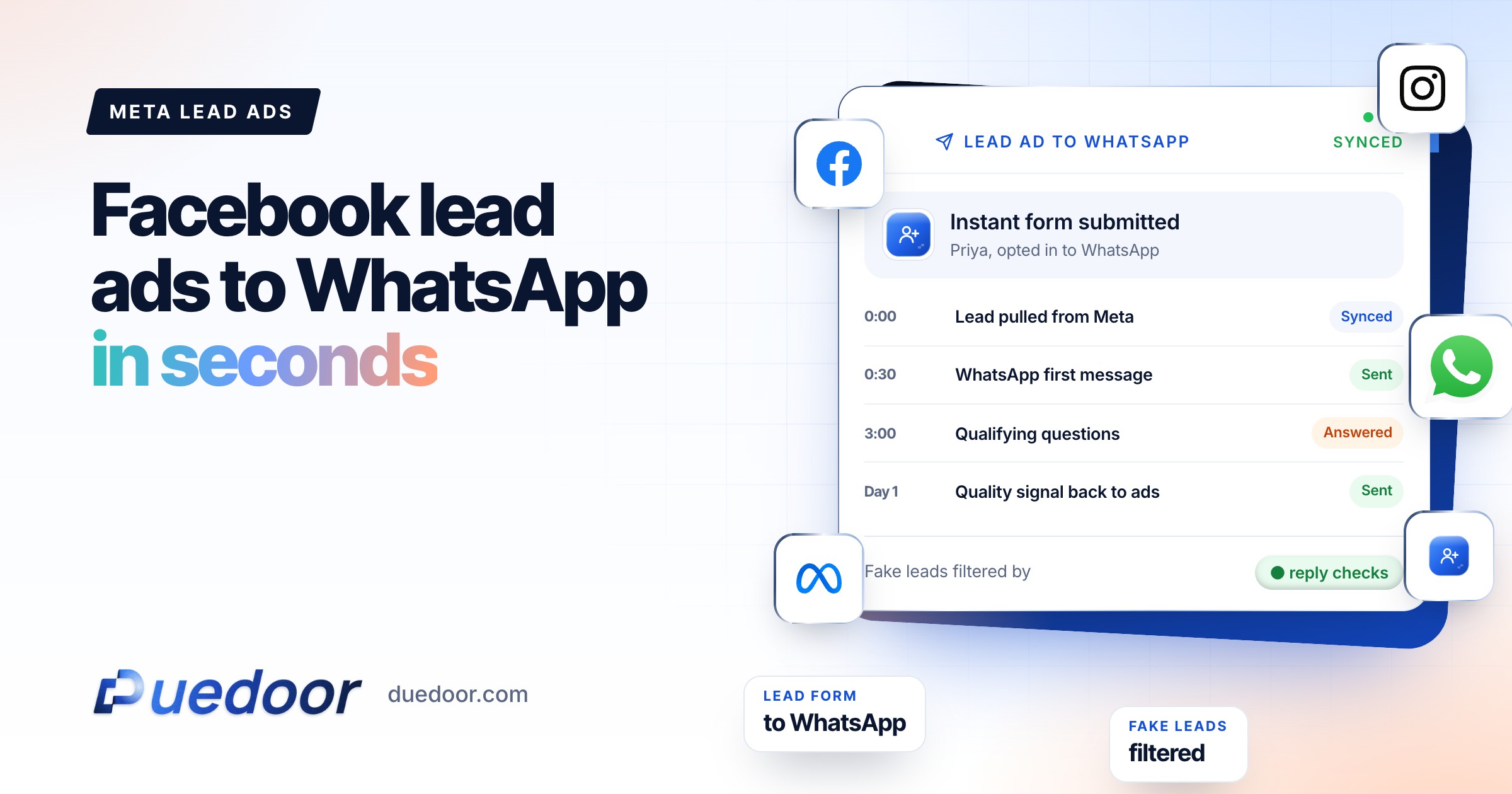
When someone submits your instant form, Meta stores the lead and, if you have an integration, notifies it in near real time. Meta’s developer documentation describes a webhook that fires on each new lead with the lead ID, page, form and ad IDs; the integration then fetches the answers. That is how a CRM can act on a lead within seconds.
The alternative is downloading leads from Ads Manager or Meta Business Suite. Meta itself recommends an integrated CRM instead, because manual downloads slow follow-up. There is a second reason: Meta keeps leads available for download for only 90 days after submission. A team that forgets to export loses them.
| Method | Speed | Good for |
|---|---|---|
| Manual CSV download | Hours to days | A test campaign with a handful of leads |
| Meta’s lead nurturing chat | Instant | Starting a chat on Messenger, Instagram or WhatsApp when you have no CRM |
| CRM integration via webhook | Seconds | Any team that assigns owners, calls leads and tracks deals |
Meta’s built-in follow-up chat is a fair option if all you want is a conversation. Once leads need an owner, a stage, calls and reminders, they belong in a WhatsApp CRM, where the form answers, the chat and every call sit on one record. In DueDoor, Meta lead form leads flow in automatically, and phone matching is duplicate-safe, so a person who fills two forms stays one lead.
Lead ad waste calculator
See how much of your Meta lead ad budget goes to leads nobody reached in time.
Your full report
Recommended plan
Estimate. Assumes leads cool off as the first reply slows (10% at 30 minutes, up to 50% after a day) and that 1, 2 or 3 follow-ups capture 50%, 70% and 85% of the wins a 5-step follow-up would.
Send your results to us on WhatsApp, or leave your details. Takes 10 seconds.
Get WhatsApp opt-in inside the form
WhatsApp’s Business Messaging Policy says you may only contact people who gave you their number and opted in to receive messages from you. Meta’s opt-in guidance adds that the opt-in must clearly name your business and make clear the person is agreeing to receive messages.
The cleanest place to collect this is the lead form itself. Meta lets you add a custom disclaimer with a consent tickbox; when you do, people must agree to submit. A wording that works:
Sample consent: “I agree to receive messages from [Business name] on WhatsApp about my enquiry, including follow-ups and appointment reminders. I can reply STOP at any time.”
Two practical notes. You cannot add a custom disclaimer to a form already running in an ad; duplicate the form and add it there. And honour STOP replies every time: the policy requires you to respect opt-out requests made on or off WhatsApp.
The first WhatsApp message
A lead from a form has not messaged you, so there is no open customer service window. Your first message must be an approved template, and it is charged per delivery at its category’s rate. That makes the category worth understanding.
Utility or marketing?
Meta decides the category, not you. Its rules say a utility template must be non-promotional and either specific to or requested by the user, or essential to them. Anything promotional, or unclear, is marketing. Meta can also recategorise an approved utility template as marketing after notice.
A plain acknowledgement of the enquiry that asks for details the person needs to get what they requested is the closest to utility. Add an offer, a discount or “book now” urgency and it is marketing. Write it for the lead, not for the category; if Meta marks it marketing, budget for that rate. For Indian rates, see WhatsApp Business API pricing in India.
| Template | Example wording | Likely category |
|---|---|---|
| Enquiry acknowledgement | “Hi {{1}}, thanks for your enquiry about {{2}} with [Business]. To share the right details, which city are you in?” | Closest to utility, Meta decides |
| Brochure request | “Hi {{1}}, here is the {{2}} brochure you asked for. Reply with any question.” | Closest to utility, Meta decides |
| Offer follow-up | “Hi {{1}}, book your site visit this week and get a free consultation.” | Marketing |
Good first messages share three traits: they name the business, they reference what the person asked for (use the form answer as a variable), and they end with one easy question.
Fake and low-quality leads
Every lead form attracts some junk: wrong numbers, people who tapped through without reading. You cannot remove it, but you can shrink it and keep it off your team’s call list.
- Use the higher intent form type. Meta’s higher intent form adds a review screen so people confirm their details. Note that it runs only in mobile Facebook and Instagram feeds.
- Add one or two multiple-choice qualifiers. Meta’s own advice: fewer questions bring more submissions, more questions bring higher quality. Timeline and budget range are the usual pair.
- Let WhatsApp verify the number. A lead who replies to your template has proved the number is real and on WhatsApp. If the template cannot be delivered, flag the lead as a possible wrong number.
- Qualify before a human calls. An AI agent can ask the qualifying questions in chat, and high-intent leads can get an AI call within minutes. Humans start with the leads that answered.
- Mark junk honestly in the CRM. A “not genuine” reason with the ad attached is data you will use in the next section.
Which ads bring real leads
Cost per lead is the least useful number in Ads Manager: cheap leads that never qualify cost more than they save.
Keep the ad, ad set and campaign on every lead record (the webhook carries the ad ID, and Meta supports tracking parameters on instant forms). Then track, per ad:
- Leads, and the share that replied on WhatsApp
- Qualified leads, by your own definition
- Meetings or site visits booked
- Cost per qualified lead, not cost per lead
Then close the loop. Meta’s qualified leads performance goal works best when your CRM sends lead-stage updates back to Meta through the Conversions API, so delivery learns which people become real prospects. Meta also offers a follow-up event based on WhatsApp conversations, which optimises for people likely to chat, not just fill the form. If you run Google lead forms too, DueDoor can send qualified leads back to Google Ads as offline conversions. The principle is the same on both: optimise the ad system on real leads, not form fills.
Worked example and setup checklist
A study-abroad consultancy
The consultancy runs Instagram lead ads for UK and Canada admissions. The form is higher intent, asks the intake (next intake, next year, just exploring) and has the WhatsApp consent tickbox. A lead picking “next intake” at 10:15 pm gets a template eight seconds later: thanks for asking about UK admissions, which course are you looking at? The AI asks about course, budget range and English test status, shares the country brochure and offers a counselling slot. “Just exploring” leads get the same first message but go into a slower nurture instead of a callback. After a month, the report shows one ad with the cheapest leads but almost no replies; it is paused and its budget moves to the ad whose leads book sessions. Details for this sector are on the study-abroad consultants page.
Setup checklist
- Business verified and number connected to the WhatsApp Business API
- Instant form: higher intent, one or two qualifiers, custom consent tickbox naming your business
- CRM connected to the Page’s lead forms, test lead received
- First template approved, with the form answer as a variable
- Automation: new lead from Meta, send template, assign owner, create task
- Rules for silence, junk and callback timing (see speed to lead)
- Ad IDs stored on every lead; weekly review of cost per qualified lead
Frequently asked questions
Can I automatically send a WhatsApp message to Facebook lead ad leads?
Yes, with the WhatsApp Business API and a CRM or tool connected to your lead forms. The new lead triggers an approved template within seconds. Collect WhatsApp consent in the form first so the message is expected.
Is the first WhatsApp message to a lead free?
No. A form lead has not messaged you, so the first message is a template charged per delivery at its category’s rate. Once the lead replies, your replies within the 24-hour customer service window are free under Meta’s pricing.
Will Meta approve my lead follow-up template as utility?
Meta decides. Utility templates must be non-promotional and specific to or requested by the user; anything promotional or unclear is marketing, and Meta can recategorise approved templates. Keep the message plain, and budget at the marketing rate in case.
How do I stop fake leads from Facebook lead ads?
Use the higher intent form type, add a multiple-choice qualifier, let the WhatsApp reply confirm the number, and qualify before a human calls. Record junk against the ad so you can cut the ads that attract it.
How long does Meta keep my lead data?
Leads are available for download for up to 90 days after the form is submitted. A CRM integration captures each lead as it arrives, so nothing expires unseen.
Sources
- Meta for Developers: Retrieving leads (lead ads) (checked on 18 September 2026)
- Meta Business Help Centre: Best practices to respond to leads from your lead ads (checked on 18 September 2026)
- Meta Business Help Centre: About expired leads (checked on 18 September 2026)
- Meta Business Help Centre: Add a custom disclaimer to your lead ads (checked on 18 September 2026)
- Meta Business Help Centre: About instant form types (checked on 18 September 2026)
- Meta Business Help Centre: Best practices to create lead ads (checked on 18 September 2026)
- Meta Business Help Centre: Set up your CRM for qualified leads (checked on 18 September 2026)
- Meta for Developers: Template categorization (checked on 18 September 2026)
- Meta for Developers: Getting opt-in for WhatsApp (checked on 18 September 2026)
- Meta for Developers: WhatsApp Business Platform pricing (checked on 18 September 2026)
- WhatsApp: Business Messaging Policy (checked on 18 September 2026)
Every Meta lead, answered in seconds
In a 30-minute demo we connect the plan to your forms, your templates and your team.

